Accounts Entry Summary
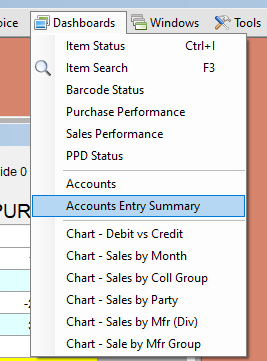
This screen appears only for the administrator login.
Shows what kind of entries make up an account's balance: how many sales, receipts, payments and so on, and the debit and credit each contributed, and the other accounts they were posted against. Use it to answer "why is this balance what it is?" before opening the full ledger.
Choosing accounts
Use the filters at the top and click Load List:
- Account Group, Sub Group and Cate / CollGrp (collection group), each with a C button to clear it.
- Name (wildcard *) – accounts whose name starts with the text.
- Hide Unused hides accounts with no entries; Hide 0 Bal hides those with nil balance.
The list shows each account's balance. Typing in the search box narrows the list to names containing the text.
The summary
Select an account and click Load Details (or double-click it); the button is pink if the details on screen are for another account. With no account selected, the summary covers the whole group, sub group or collection group chosen above.
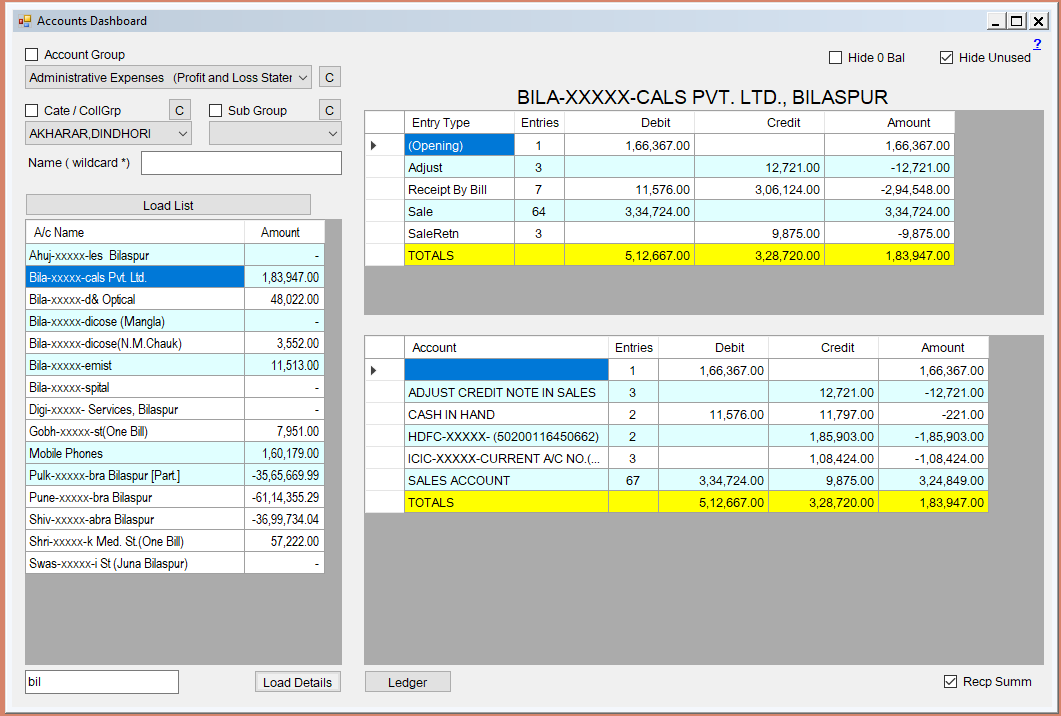
- By entry type – for each kind of entry (sale, purchase, receipt, payment, journal and so on): the number of entries, total debit, total credit and net.
- By account – the accounts on the other side of those entries: the number of entries, debit, credit and net. This shows, for instance, which cash, bank and sales accounts a party's balance came from.
Select several cells to see their total in a tooltip. Ledger opens the full ledger of the selected account (with Recp Summ applied if ticked).