Set Defaults
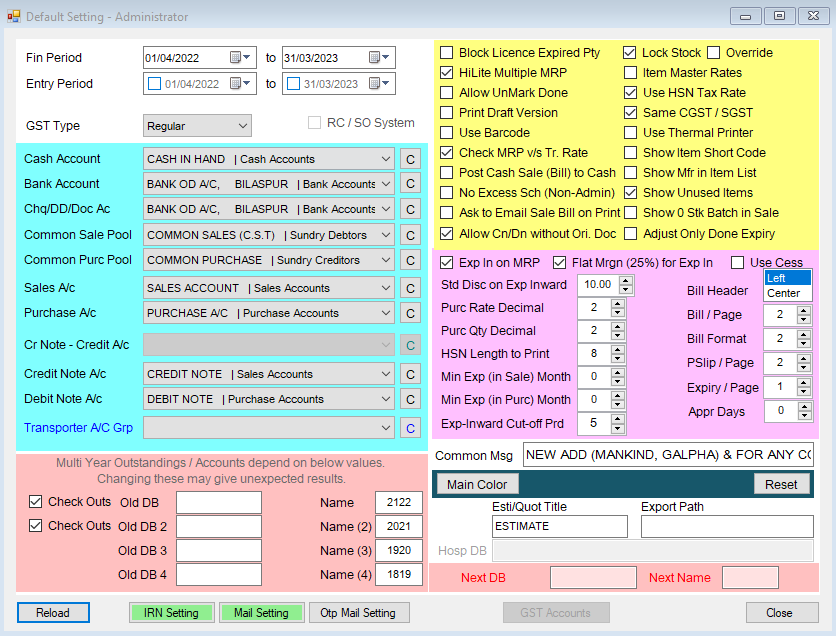
List of Default Settings Available
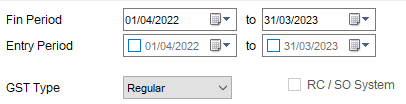
Date Periods
Standard Accounts
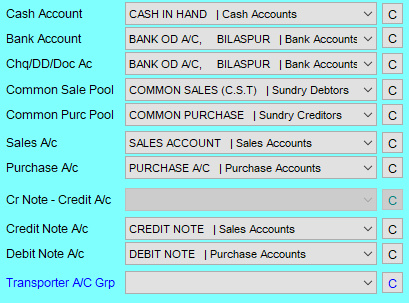
The Chq/DD/Doc/UPI Ac account is also used for UPI receipts.
Round Off in Sale and Round Off in Purc are where rounding differences on bills are posted when Enable New Ledger is ticked — see Ledger Methods for choosing between the two ways dsGST builds accounting entries.
On / Off Switches
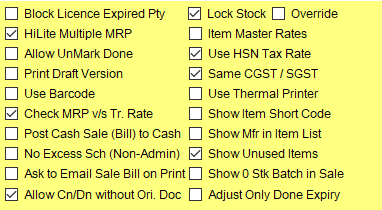
Use Pick and Pack here turns on the picking/packing/issue-tracking screens described in Pick / Pack / Deliver. With it on, Delivery Details only accepts a delivery for a bill that has reached Packed (or with OverRide ticked).
GST rate on bills — two switches decide where the GST % on a sale line comes from:
- Use Gst% from Item Master — for bills dated 22-Sep-2025 or later (the GST rate revision), the rate is taken from the item's own GST % in the Item Master. Bills dated earlier are unaffected.
- Use HSN GST Rate — the rate is taken from the HSN code linked to the item.
If neither applies, the rate comes from the purchase of the batch being sold.
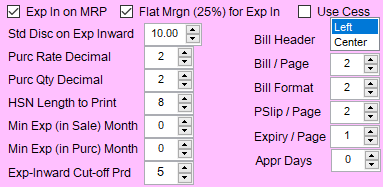
Numeric Settings
Multi-Year Database Linking
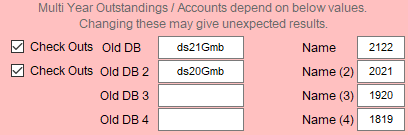

This is the "Prev Db" link that Period Close & Maintenance reads from when carrying opening balances and stock into a new financial year.
Folders
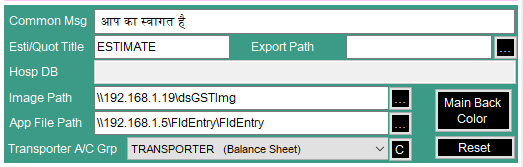
Click … next to each to pick a folder. For an office with several computers, point these at a shared network folder so every computer sees the same files.
- Image Path — where Delivery
Details saves delivery photos
(in a
Delysub-folder). - App File Path — where photos sent from the mobile app's Field Entry are found for review. This must be the folder the gstApi server saves them to, as this computer sees it (usually a network share).
- Export Path — the default folder for exported files, and where file imports start browsing.
ICICI UPI QR Settings
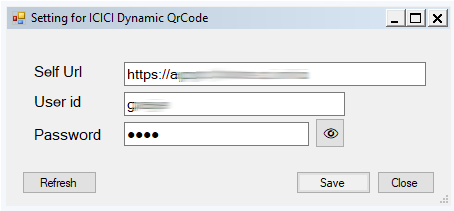
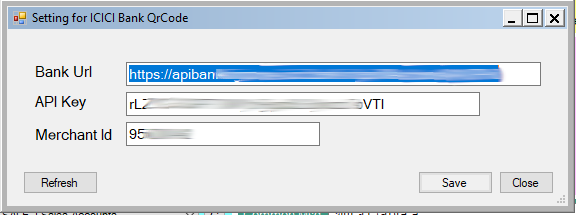
ICICI Dy Qr and ICICI Bank QR hold the bank details for ICICI dynamic UPI QR codes, used for UPI collection in the mobile app. Data Spec sets these up with you; each button turns green once configured.
Mail Settings
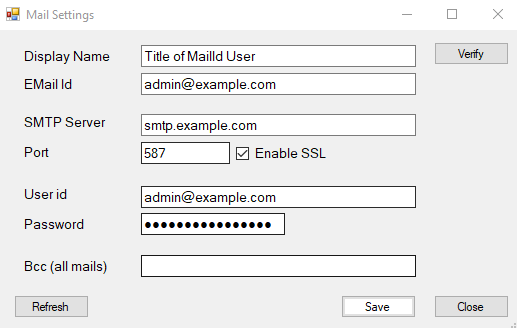
See here for more on SMTP settings in dsGST
IRN (E-Invoices) Settings
dsGST portion of settings for enabling e-invoicing
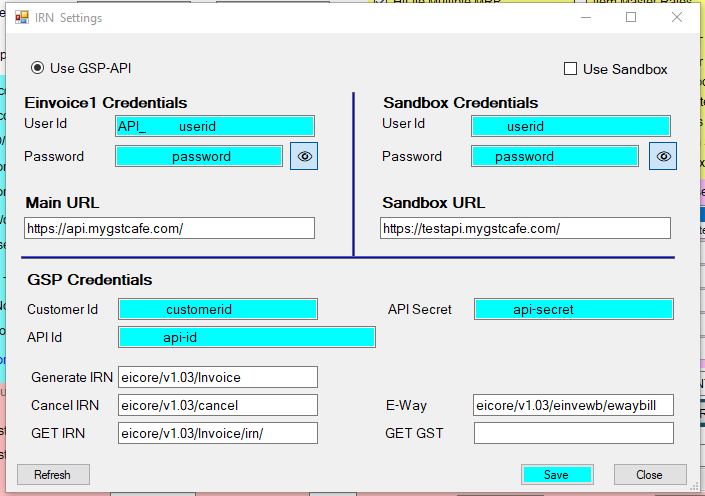
To get the details required here can be got from the portal of your GSP and from the e-Invoicing Portal of GST.